Route History
The route history feature allows you to view other sessions recorded along the same route and seamlessly switch between them while maintaining your current position.
With data being collected regularly from different devices, you can use a route’s history in the AIVR Platform to identify the sessions that suit your work best in terms of coverage and clarity. Once you have selected a session for a given route, there are two ways of browsing historical footage of that route:
1. History Tab
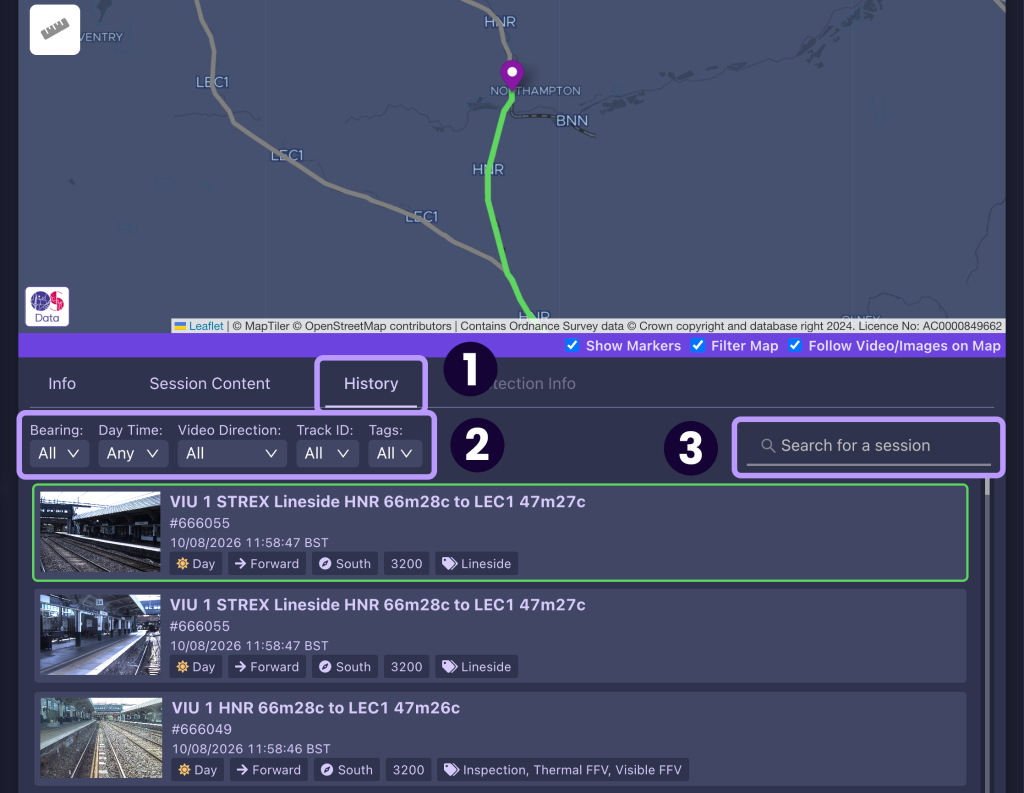
You can use the History tab in the bottom-right panel (1) to view a list of all historical sessions that cover your current position along your selected session. These are listed in the same manner as in the main Sessions tab, with the most recent sessions listed at the top and your currently selected session being framed in green. You can then filter these results (2) by:
- Bearing (direction of travel)
- Time of day (day or night)
- Video direction (i.e. if the footage has been recorded from the front or rear of the train)
- Track ID
- Content tags, such as video type
Much like in the Sessions tab, you can also use the “Search for a session” bar (3) to search using specific terms, such as session IDs or route names.
2. Show Route History Pop-up
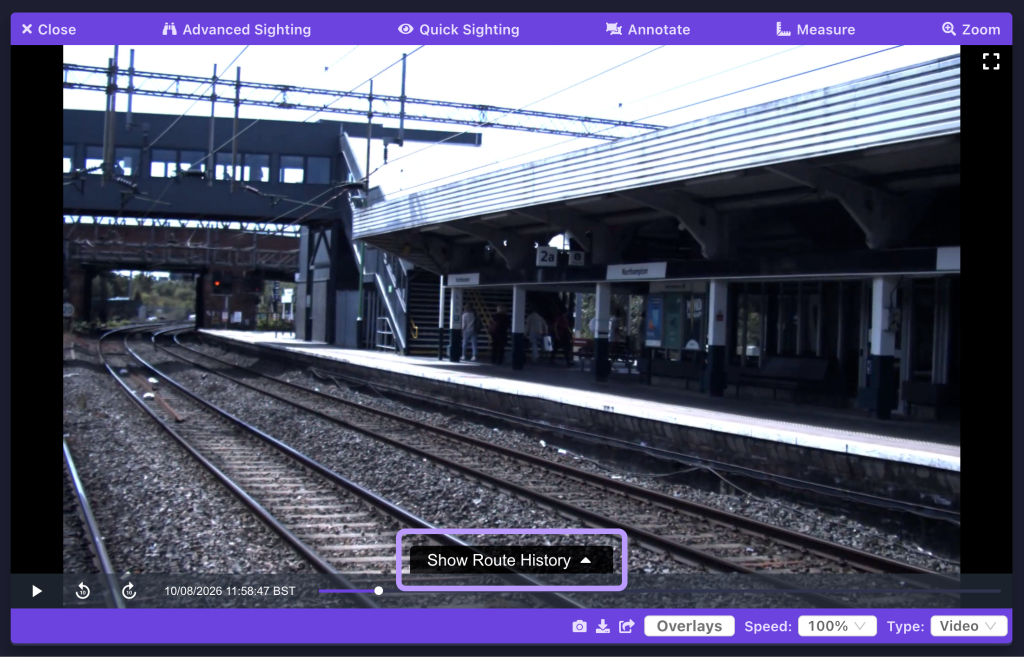
You can also use the “Show Route History” tab in the video player panel to view historical sessions that cover your current position along a timeline.
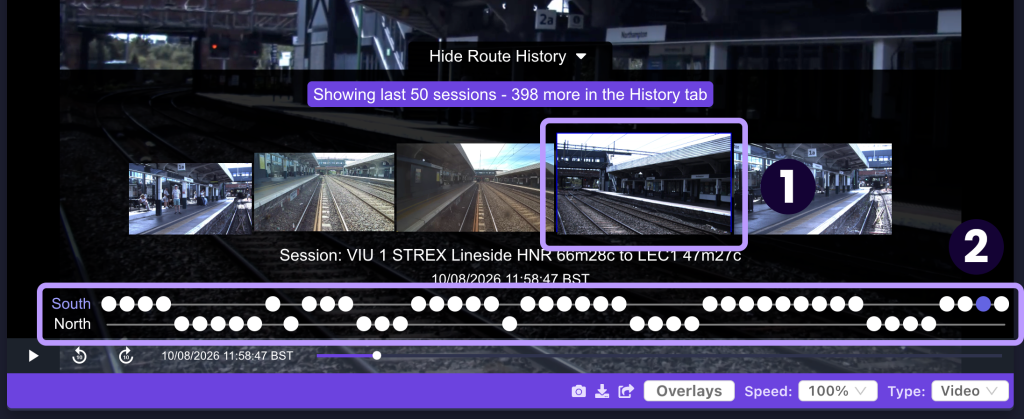
Once the tab is open, two timelines are shown: a visual timeline consisting of video thumbnails (1), and a pair of simple timelines corresponding to north and south bearings of travel (2).
- The visual timeline consists of all historical sessions covering your current position, regardless of direction of travel.
- The simple timelines then split all available footage for the current position by direction of travel (north or south). Note that the sessions along each simple timeline may also be facing forwards or backwards in addition to these bearings.
The timelines read chronologically left-to-right, with the most recently recorded sessions being found at the right-most end of each timeline. To select a session from one of the timelines, either click its corresponding video thumbnail on the visual timeline, or its circular marker on one of the simple timelines.
Note that only the 50 most recent sessions for your chosen position are displayed in this pop-up – if you wish to view earlier sessions, you will need to browse for them using the History tab.
Video Tutorial
If you have any questions at all please contact us by emailing support@onebigcircle.co.uk.