Annotation Tool
The annotation tool on the AIVR Platform helps you to add context, highlight important details, and provide additional information for better understanding of issues and clearer communication within your team.
Annotations are a great way of illustrating an observation that you’ve made or an issue that you’ve found on a line, particularly when you’re sharing these findings with other members of your team. Comprehensive tools for doing so are provided within the AIVR Platform, saving you from spending time annotating footage in external software.
Annotating Footage
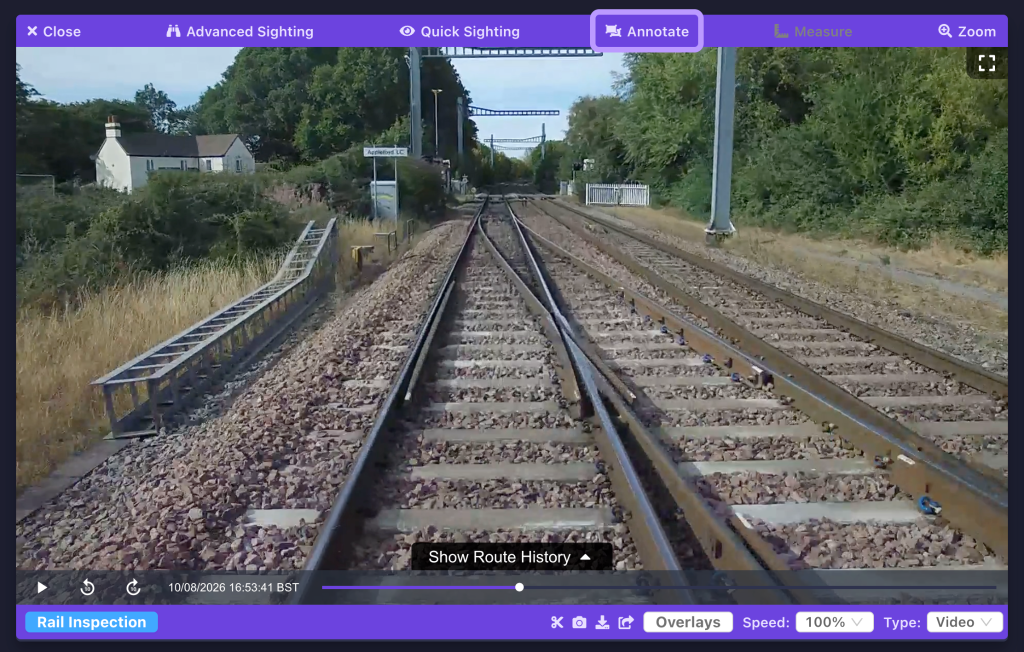
Once you have found a frame of footage that you would like to annotate (either a paused video frame or a still image), click the “Annotate” button at the top of the media viewer.
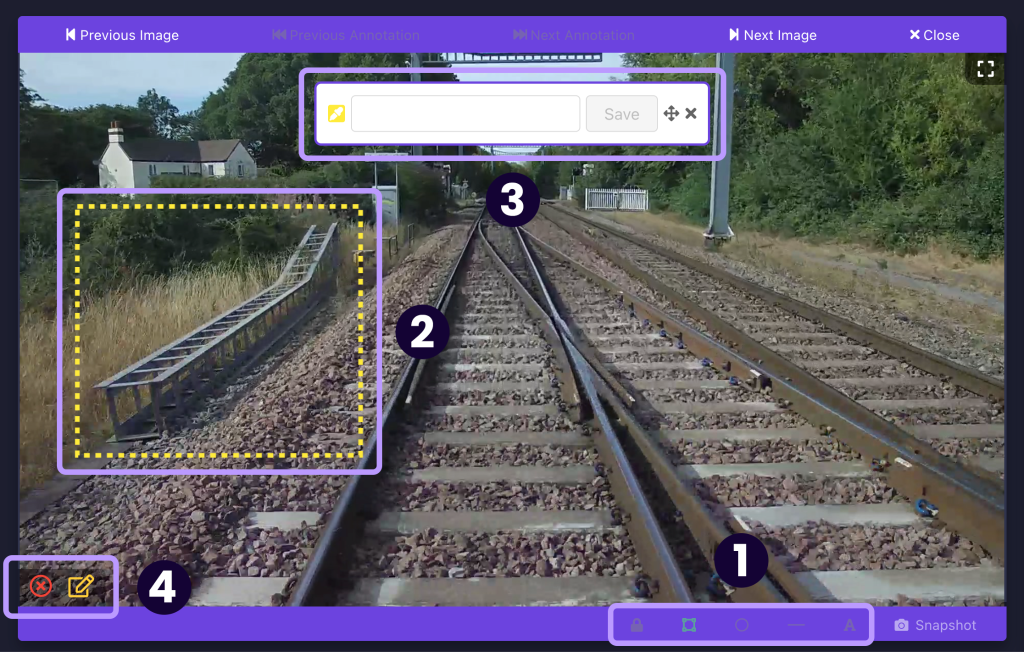
Once you are in annotation mode, you can choose a shape for your annotation, or switch to using text-only annotations, using the buttons at the bottom of the panel (1). The padlock icon here also allows you to make your annotations public on your workspace (unlocked) or private (locked).
You can then click and drag anywhere on the footage to create your annotation (2). A prompt will appear once you have done so (3), which allows you to label your annotation and choose a colour for it.
If you wish to create a new annotation or delete your selected annotation, you can use the buttons in the bottom-left corner of the panel (4).
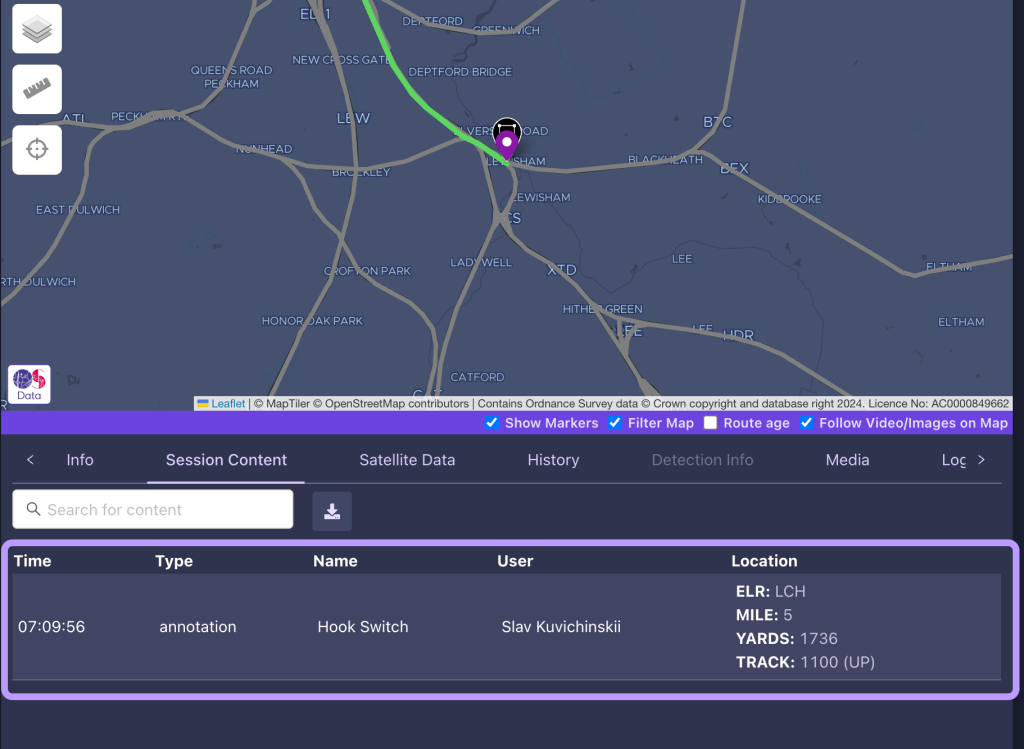
After annotations have been saved, you can quickly refer back to them through your workspace’s content feeds.
Once you’ve added annotations to your chosen footage, you can create a snapshot or include them in any exports you make for further review.
Video Tutorial
If you have any questions at all please contact us by emailing support@onebigcircle.co.uk.