Shareable Links
Make collaborating on AIVR data seamless by sharing a link to the session you’re working on with your fellow AIVR Platform users.
Creating a shareable AIVR Platform link allows you to share data quickly and easily with your colleagues. Each share link captures your specific timestamp within the AIVR session, ensuring that users within the same workspace are taken directly to that exact moment in the session. These links can be useful if you’d like to direct a colleague to the footage that you’re examining, or you can insert a link into a document so that readers with access to your workspace can navigate to the session.
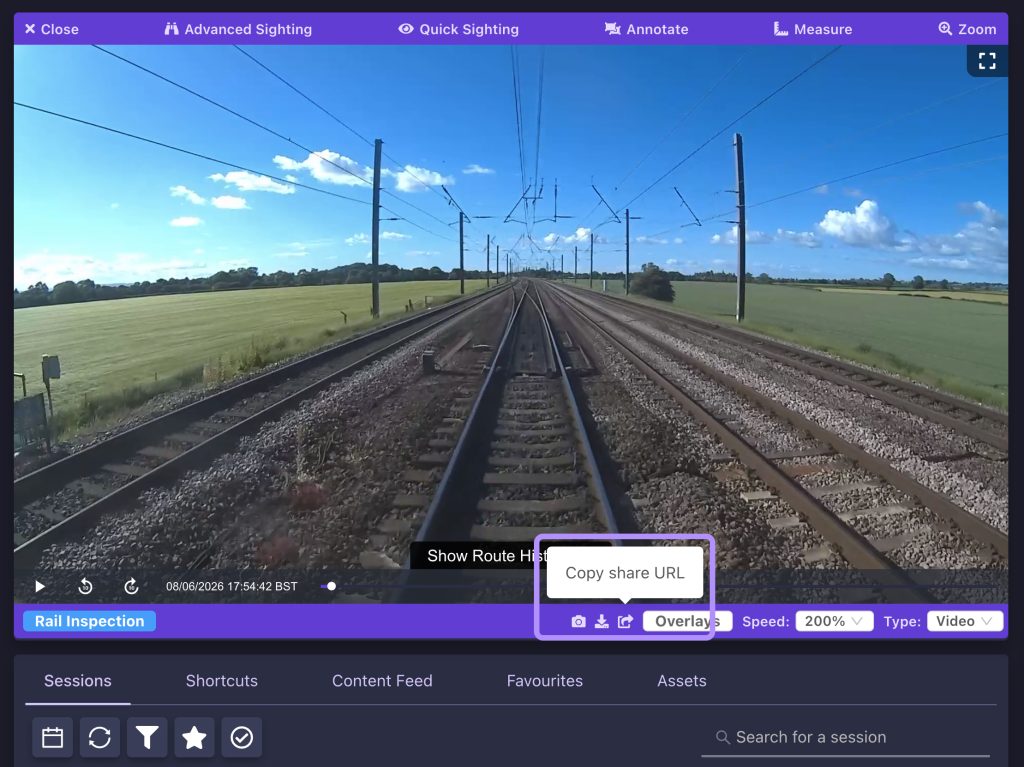
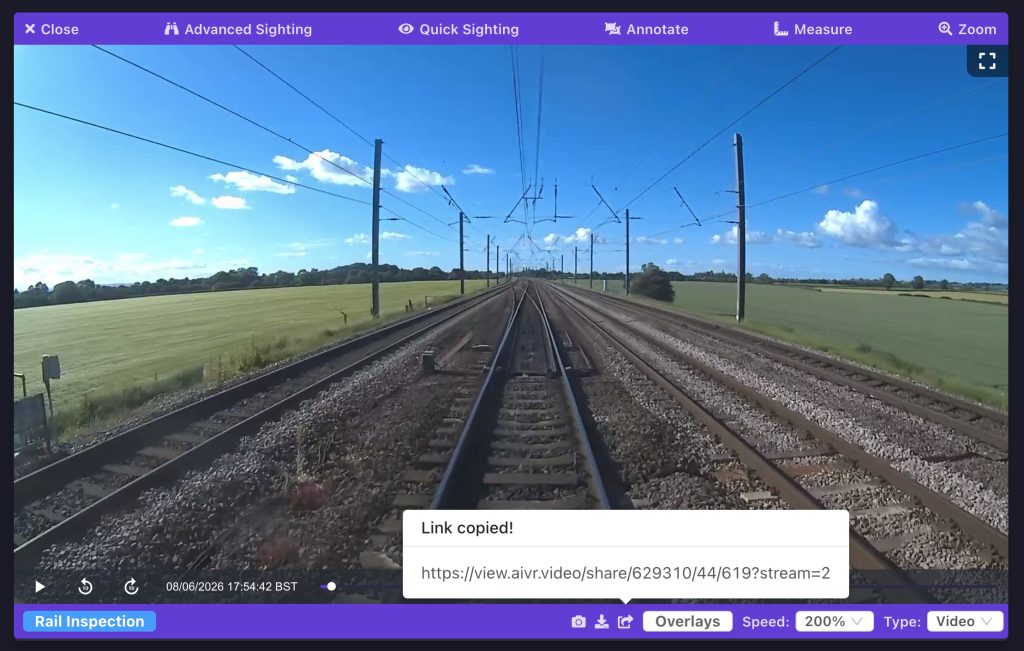
Simply click the “Copy share URL” button at the bottom of the video player to create your shareable link. The link will be automatically added to your clipboard, so that you can paste it into a message or document, and the link will also be displayed onscreen if you need to make note of it. Note that the session ID forms one portion of the link URL, making it easy to tell which sessions your links correspond to.
Video Tutorial
If you have any questions at all please contact us by emailing support@onebigcircle.co.uk.