Asset Markers
The AIVR Platform includes viewable markers for easy reference to key railway assets. These pins on the map provide you with instant access to asset data.
You can use markers in the AIVR Platform to quickly reference your key railway assets and the details associated with them. Examples of browsable assets include:
- Signals
- Overhead Line Structures
- Access Points
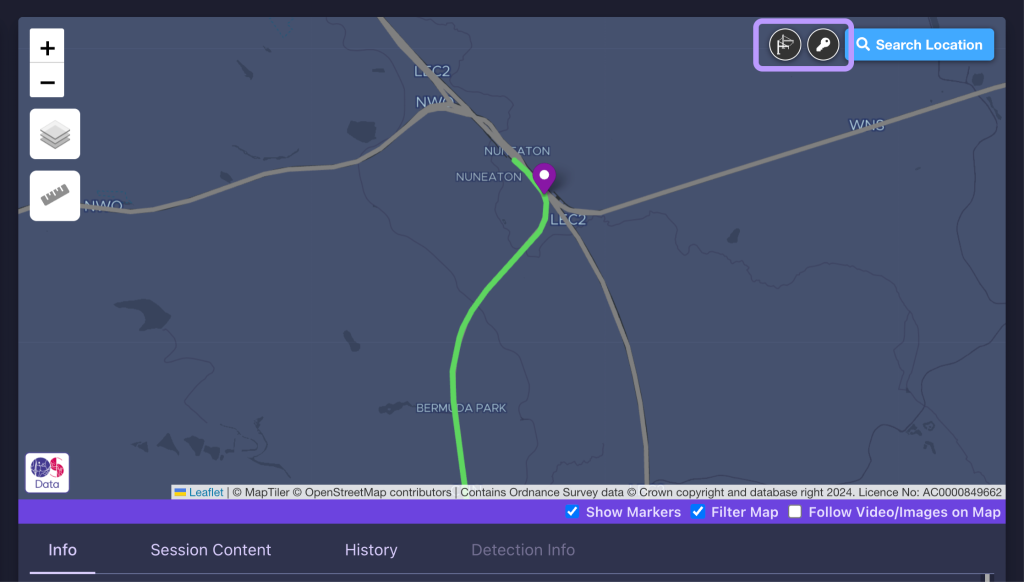
Any asset markers that can be browsed in your workspace will be indicated by circular icons in the top-right corner of the map panel. These buttons are dimmed when you first enter the AIVR Platform, but they will become usable as you zoom further into the map – they’ll light up to let you know when they’re ready to use.
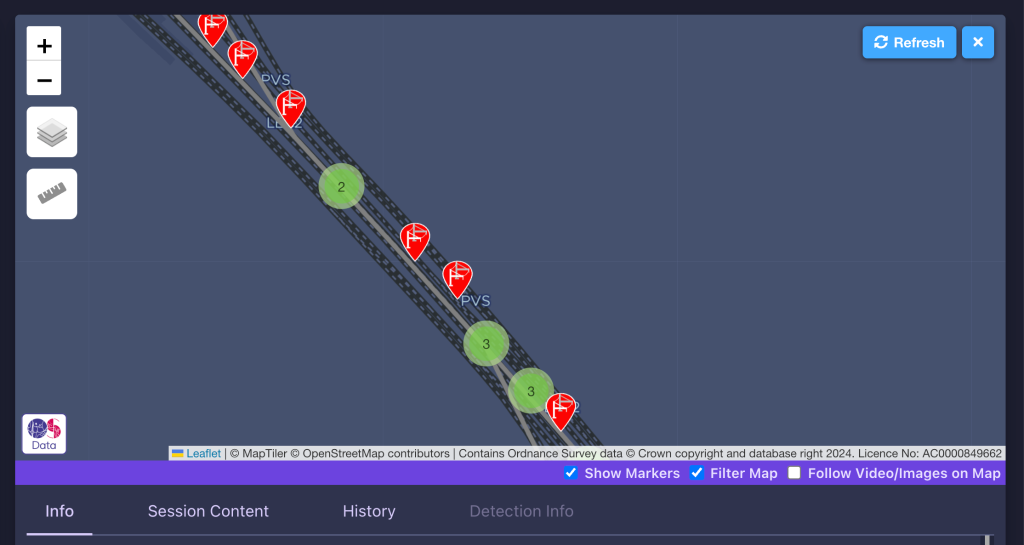
Click one of the asset type buttons to have AIVR search the current map area for any assets of that type. If assets are present, markers for each will appear on the map.
Numbered circles are used to represent areas of densely clustered assets – click on a numbered green circle to zoom in and show the individual assets in that area.
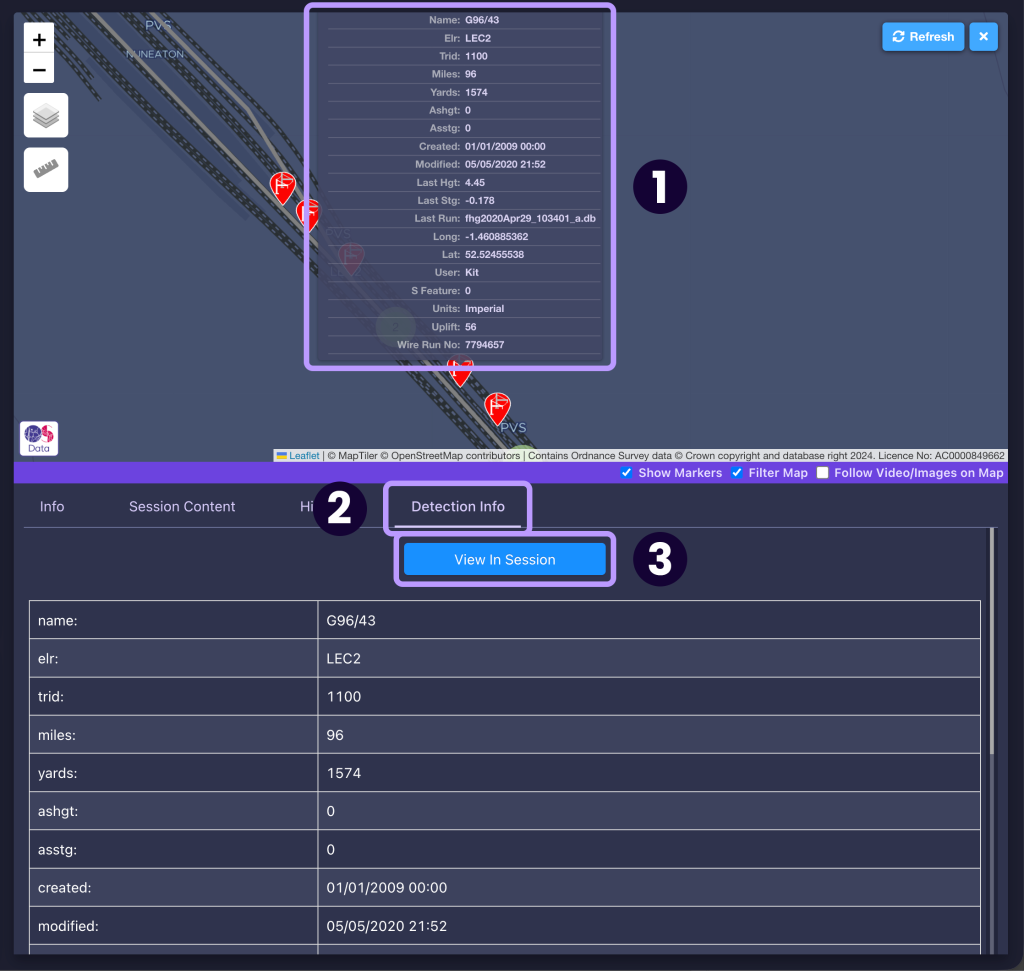
Hovering your mouse over an asset will display all of that asset’s details, such as asset ID and location in a pop-up list (1). If you click on the asset, these details will be opened in the panel below, as part of the “Detection Info” tab (2). To view this asset in the most recent AIVR session covering it, simply click the ‘View In Session’ button (3).
Keep in mind that some areas may not contain any assets – try adjusting your location or zoom level for better results.
If you are interested in integrating additional asset data with AIVR, to generate markers and easily visualise a wide range of your assets alongside AIVR session data, please get in touch with us at support@onebigcircle.co.uk.
Video Tutorial
If you have any questions at all please contact us by emailing support@onebigcircle.co.uk.