Workspaces
Workspaces are private spaces where your team can work on data together on the AIVR Platform.
An AIVR workspace is a private, shared space for you and your teammates to work on captured data together. Any annotations, bookmarks, measurements, shortcuts or exports you create are visible only to other users of the same workspace.
When a workspace is set up for a user, it can be configured to display data from only a certain geographic region, as well as only particular types of data. For example, a workspace can be configured to show only forward-facing video collected during daylight hours in a given region. This should make it as easy as possible to find the data you are looking for.
Using Multiple Workspaces
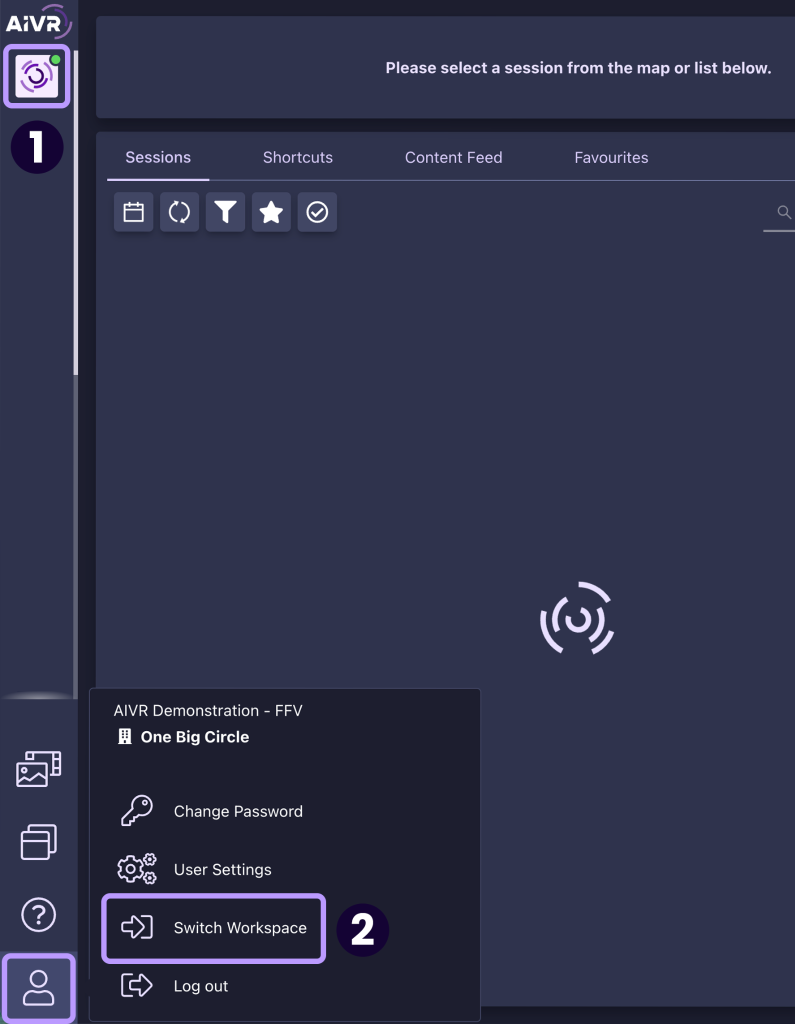
Your administrator may provide you with access to more than one workspace on the AIVR Platform. Once you are logged into AIVR, all of your available workspaces will be visible as square icons on the left-hand side of the interface (1).
You can hover your mouse over an icon to view that workspace’s name – some workspaces may share the same icons, so make sure to check the workspace’s name in this manner to confirm that you’re using the right one. A green dot on a workspace icon indicates that you are currently using that workspace.
You can change workspace at any time using the icons in the left-hand menu, or by clicking “Switch Workspace” in the account menu in the bottom-left corner of the interface (2).
Setting a Default Workspace
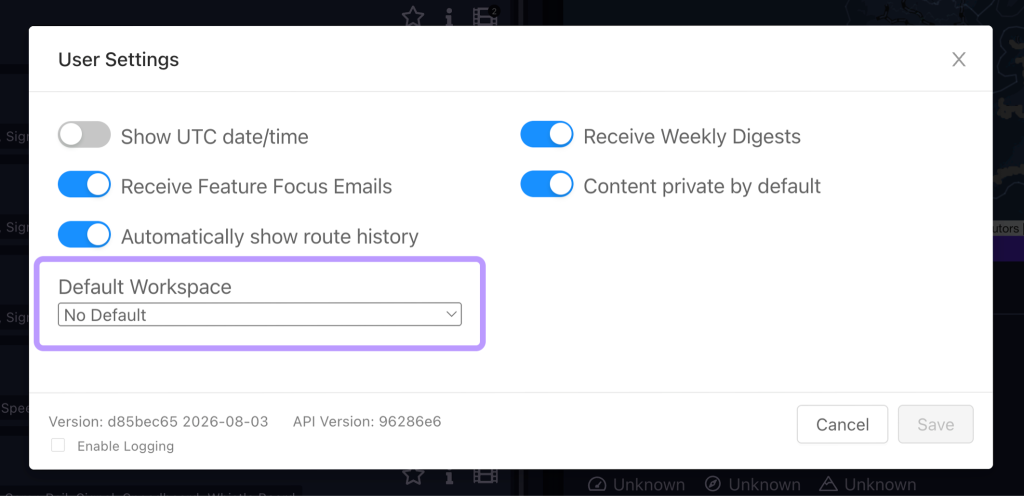
If you’re a member of multiple workspaces, but you use one of them more often than the others, you can set a default workspace to save time switching between workspaces. To do so, simply head to your User Settings through the account menu in the bottom-left corner, and in the window that appears, use the drop-down menu to select a default workspace.
Video Tutorial
If you have any questions at all please contact us by emailing support@onebigcircle.co.uk.