Sighting Tools
The sighting tools on the AIVR Platform allow you to navigate through and report on sessions across defined distances, making them ideal for signal sighting tasks.
Performing signal sighting through the AIVR Platform saves you the time and expenditure of carrying out sighting tasks on the line in person. You can use Quick Sighting to easily examine still images along your session’s route, or Advanced Sighting for a more comprehensive report. Both of these tools are accessible from the top bar of the video player panel:
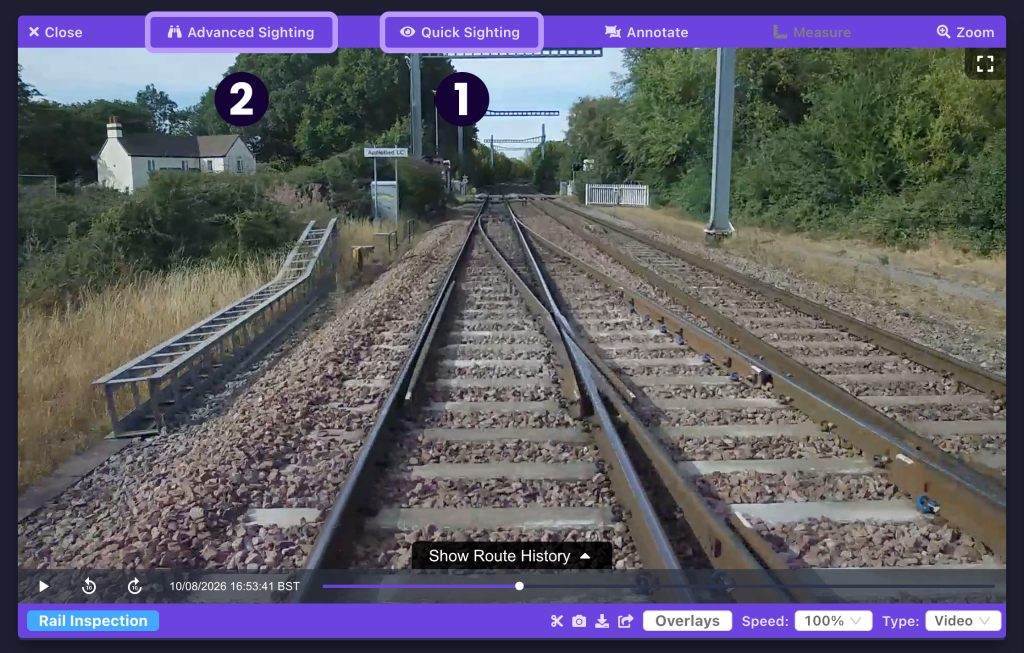
1. Quick Sighting
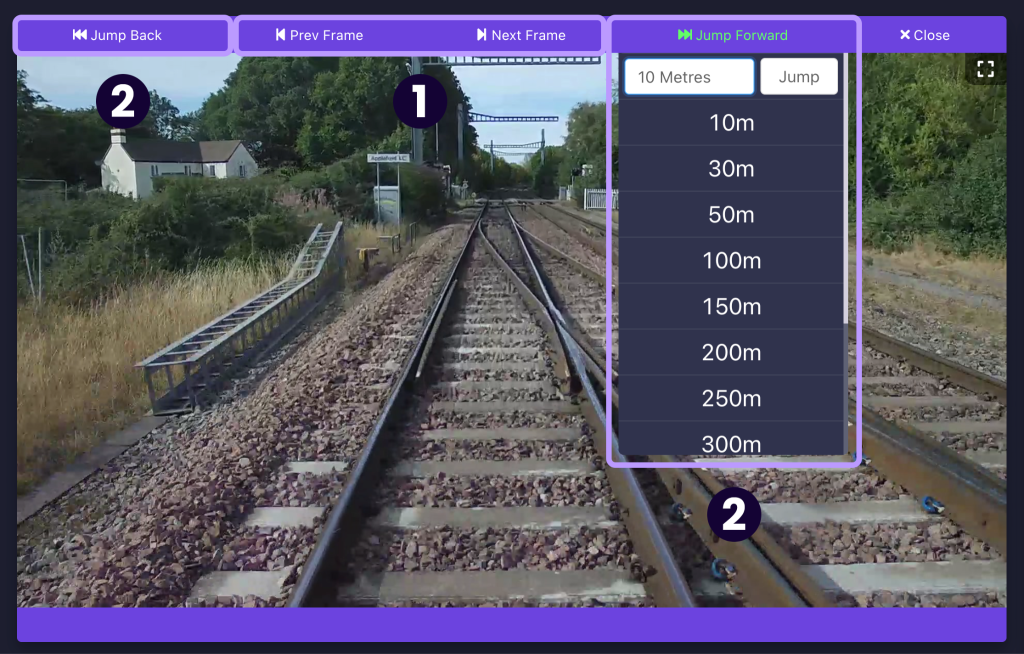
Use the Quick Sighting tool to browse the route in set increments. You can move forwards or backwards frame-by-frame (1), or jump forwards or backwards by a measure of distance (2).
2. Advanced Sighting
Advanced Sighting can be used to create downloadable reports covering set distances in increments.
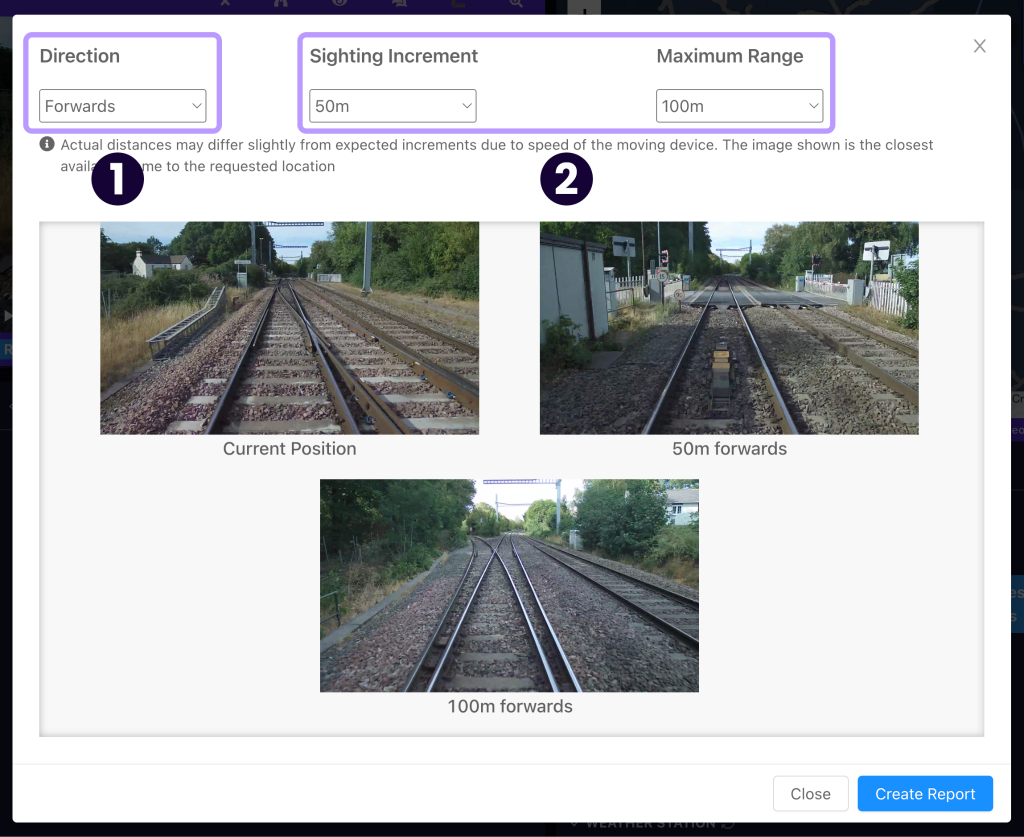
First, choose the direction of travel that you would like your sighting report to cover (1). You can then configure the distance settings for your report (2):
- The maximum range is the total distance that your report will cover.
- The sighting increment defines how frequently stills from the footage will be shown across this distance (e.g. if a still is shown every 50m).
Previews of each still in your report are shown below these settings.
Once you’ve configured the report, you can then name it and send it to a chosen email address. When the report is ready to be viewed, an email containing links to the report in both PDF document and 1080p MP4 video format will be sent.
If you’d like to export similar files that cover your measurements and annotations, the Export function might be more useful to you.
Video Tutorial
If you have any questions at all please contact us by emailing support@onebigcircle.co.uk.